
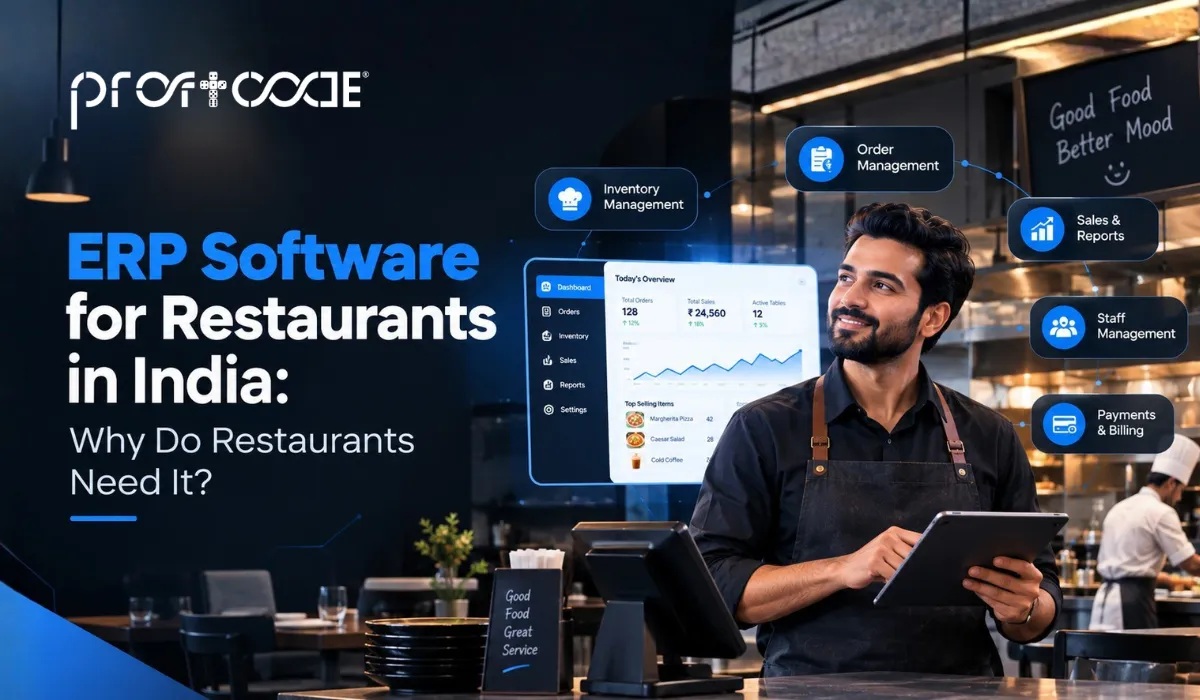
The billing counter has one system. The kitchen store has a stock register. Supplier bills sit in an Excel sheet somebody updates on Sundays. And at month-end, when you ask what your food cost really was, you get three different answers. If this sounds familiar, you are exactly who restaurant ERP software is built for.
Indian restaurants run on thin margins and fast days. Orders come from the table, the phone, and two or three delivery apps, all at the same time. Keeping all that in separate places works until it doesn’t. This guide explains what restaurant ERP is, what it does, what it costs, and how to pick one without wasting money.
What Is Restaurant ERP Software?
Restaurant ERP software is a single system that connects billing, kitchen orders, inventory, purchasing, accounts, and staff management, so every part of the restaurant works from the same live numbers.
Think of it as one shared notebook instead of six private ones. A dish sold at the counter reduces the ingredients in stock, updates the day’s sales, and flows into the books without anyone retyping it. If ERP as an idea is new to you, our guide on what enterprise resource planning software is covers the basics in plain language.
Ready to Upgrade Your ERP Software Management ?
See how SchoolOrbit makes student management, fee collection, and parent communication simple and reliable.
Why Restaurants and Cafes Need ERP Software in India
Food Cost and Wastage Eat Into Margins
Most owners know their selling price. Fewer know their exact plate cost. When a kitchen uses a little extra paneer here and spills some gravy there, nobody notices on a single day. Over a month, it quietly becomes a very large number.
Multiple Outlets, Multiple Spreadsheets
The moment you open a second branch, the paperwork doubles. Each outlet has its own stock sheet, its own sales report, and its own way of doing things. Comparing them becomes a weekend job. This is one of the clearer signs a business has outgrown its current systems.
Aggregator Orders and Dine-In Data Don't Match
Delivery app orders arrive on tablets. Dine-in orders go through the POS. Reconciling the two at the end of the day, including commissions and settlements, eats time and invites mistakes.
GST and Daily Accounting Pressure
Restaurants generate dozens or hundreds of small bills a day. Entering them by hand is slow, and one wrong entry can throw off the whole day’s report. GST-ready billing that posts straight to the books removes most of that pain.
High Staff Turnover
People join and leave kitchens and floors often. When knowledge lives in someone’s head or a personal notebook, it walks out with them. A system holds the recipes, the stock rules, and the daily routines, so a new person can pick up quickly.
How Restaurant ERP Works: Order to Report Flow
Stage | What the ERP Does |
Order taken | Captures the order at the table, counter, phone, or delivery app |
KOT to kitchen | Sends the kitchen order ticket to the right station instantly |
Recipe-wise stock deduction | Reduces ingredients in stock based on each dish’s recipe |
Billing and GST | Creates the bill with taxes and applies discounts or offers |
Payment and settlement | Records cash, card, UPI, and aggregator payouts against each bill |
Accounts posting | Sends sales and expenses to the books automatically |
Daily report | Shows sales, stock, food cost, and cash position for the day |
Key Features of ERP Software for Restaurants
Not every restaurant needs every feature on day one. Here is what a solid system usually covers. For a broader view of how such parts fit together, see our piece on ERP software modules.
POS and Billing
Fast billing with split bills, discounts, tax handling, and multiple payment modes. At peak hour, a slow counter costs you customers, so speed matters here more than fancy screens.
Kitchen Order Tickets (KOT) and Kitchen Display
Orders reach the kitchen as printed tickets or on a screen. Fewer shouted orders, fewer wrong dishes, and a clear record of what was cooked and when.
Inventory and Recipe Costing
You define each dish as a recipe. The system then deducts ingredients when the dish sells and shows the cost of every plate. This is the feature that finally answers the food cost question.
Purchase and Vendor Management
Raise purchase orders, record supplier bills, and track what you owe. Supplier price changes show up quickly, so you can react before your margin shrinks.
Table, Reservation, and Online Order Management
See which tables are free, take reservations, and bring online orders into the same system as dine-in. No more juggling three tablets on the counter.
Accounting and GST Reports
Sales, expenses, tax summaries, and day-end reports without manual data entry. Your accountant gets clean numbers instead of a pile of slips.
Staff, Attendance, and Payroll
Track shifts, attendance, and salary calculations. Useful when you run split shifts and part-time staff.
Multi-Outlet Dashboards
One screen showing every outlet’s sales, stock, and cost. You can spot the weak branch in minutes, not weeks.
ERP vs Accounting Software for Restaurants: What's the Difference?
Plenty of owners start with accounting software for restaurants, and that is a perfectly sensible first step. The confusion starts when the business grows, and the accounting tool can’t answer questions about stock or kitchen cost.
Factor | Accounting Software | Restaurant ERP |
Scope | Books, invoices, GST, expenses | Billing, kitchen, stock, purchase, accounts, staff |
Stock tracking | Basic or none | Ingredient-level, recipe-wise |
Recipe costing | Usually not available | Built in |
Multi-outlet | Limited | Centralized dashboards |
Reporting | Financial reports | Financial and operational reports |
Best for | Small setups with simple needs | Growing restaurants and chains |
If you only need clean books, accounting software for a restaurant business is enough. If you want to control food costs and see every outlet in one place, you need ERP. Our guide on ERP solutions for smarter business growth shows how this shift usually happens.
How ERP Software Improves Restaurant Business Growth
A single small outlet, a short menu, and an owner who personally watches the kitchen can often manage with good accounting software for small restaurant business needs. If stock is simple and you rarely run out or over-order, a basic tool covers the books well. Our piece on ERP development services for small business explains when it makes sense to step up.
Free Accounting Software for Restaurants: What You Get and What You Miss
Free accounting software for restaurants can be a good starting point, especially for a new place watching every rupee. Just know the trade-offs.
- What you usually get: basic billing, simple invoices, and a few reports
- What you often miss: recipe costing, ingredient-level stock, multi-outlet reports, and proper kitchen integration
- Support: often limited, which hurts on a busy Saturday night when something breaks
- Data ownership: read the terms, and check whether you can export your data easily if you move later
Free tools are fine for learning. They tend to feel tight once you have staff, stock, and more than one counter.
Best ERP Software for Restaurants: How to Compare Options
There is no single winner for every kitchen. When people search for the best erp software for restaurants or the best accounting software for restaurants, what they really need is the one that fits their format. The same goes for the best accounting software for restaurant business owners with a single outlet. Use this checklist.
- POS integration. Does billing, KOT, and stock work as one system, or are they stitched together?
- Recipe costing. Can it show you the cost of every dish?
- GST-ready. Are tax invoices and reports built in?
- Offline mode. Can you keep billing if the internet drops for an hour?
- Support. Is help available during your busiest hours?
- Demo on your own menu. Ask them to set up a few of your real dishes, not a sample menu
For a broader method of judging vendors, our guide on choosing the right ERP software development company applies here too. And if hosting is a question, see cloud ERP vs traditional ERP.
Benefits of ERP Systems for Restaurants
- Lower food cost and wastage. You see where ingredients go, so leaks get fixed
- Faster billing and table turnaround. Less waiting, more covers per evening
- Accurate daily sales and stock reports. No more guessing at midnight
- Better control across outlets. One dashboard, one version of the truth
- Easier GST and audit readiness. Records are clean and traceable
Uses of Restaurant ERP Across Different Formats
Single-Outlet Restaurants and Cafes
Start with POS, billing, and basic stock. Even this small step gives you daily sales and cost clarity you did not have before.
Multi-Outlet Chains
Central purchasing, shared menus, outlet-wise reports, and stock transfers between branches. This is where ERP really earns its place.
Cloud Kitchens
No dine-in, but a lot of aggregator orders. The system needs strong online order handling, tight ingredient tracking, and quick settlement reconciliation.
Hotels and Banquet Restaurants
Multiple outlets inside one property, event menus, and large bulk orders. Role-based access and detailed costing matter most here.
Restaurant ERP Software Cost in India
Indicative Cost Range
Restaurant Type | Indicative Range (INR) | Notes |
Single outlet | 12,000 to 50,000 per year | Mostly subscription-based, core modules |
Multi-outlet | 50,000 to 3 lakh per year | More modules, outlet-wise reports |
Chain or custom build | 3 lakh and above | Custom workflows, integrations, central control |
These are indicative ranges, not fixed prices. Real quotes depend on your setup, so ask any vendor for a written breakdown before you decide.
What Affects the Cost
- Number of outlets and billing counters
- Modules you actually need
- Level of customization
- Integrations with delivery apps, payment gateways, or accounting tools
Hidden Costs to Watch Out For
- Hardware like billing machines, printers, and kitchen display screens
- Staff training time
- Annual support contracts
- Extra charges for new outlets or users
Our breakdown of hidden costs in off-the-shelf ERP software is worth reading before you sign anything. If your menu or workflow is unusual, also read custom ERP vs off-the-shelf ERP and is custom ERP worth it.
Restaurant ERP Software in Delhi
Delhi restaurants face a special mix. Competition is dense, kitchens often run late into the night, and delivery app orders can be a huge share of sales. That means billing has to stay fast, order handling has to be tidy, and support has to be reachable when something goes wrong at 11 PM.
When searching for restaurant ERP software in Delhi, look for local support, quick on-site help, and experience with multi-outlet setups across the city. Our guides on choosing an ERP company in Delhi and ERP software for Delhi’s small and medium businesses cover local points worth checking.
How to Implement Restaurant ERP: Step by Step
- Menu and recipe setup. Enter dishes, prices, and ingredient quantities for each recipe
- Opening stock. Count what you have and enter it carefully, because everything builds on this
- Staff roles. Decide who bills, who manages stock, and who sees reports
- Testing. Run a few days of mock orders and compare with your manual numbers
- Training. Short, hands-on sessions for counter, kitchen, and store staff
- Go-live. Pick a quieter day, and keep a manual backup for the first week
For the general process behind projects like this, see our complete guide to ERP development services.
Common Mistakes to Avoid
- Skipping recipe costing. Without it, you are paying for ERP but still guessing your food cost
- Ignoring stock entry. Reports are only as good as the data going in
- Choosing only on price. The cheapest option often lacks support or kitchen features
- Not training staff. A system nobody uses properly is just an expensive billing machine
Optimize Your Restaurant Operations with Proftcode
Proftcode builds restaurant ERP around how your kitchen and floor actually work, not around a fixed template. That means your menu structure, outlet setup, and reporting needs shape the system. Based in Jaipur, the team works with restaurants and food businesses across India, and support continues well after go-live, because menus, prices, and staff change all the time. If you want to see how it could fit your restaurant, a short conversation about your current setup is a good first step.
End of Line
A restaurant runs on speed, freshness, and tight margins. Restaurant ERP software helps by putting billing, kitchen, stock, and accounts in one place, so you can finally see your real food cost and daily numbers. Start small, train your team well, and grow the system as your restaurant grows.
Want to see what ERP could look like for your restaurant? Book a free consultation with the Proftcode team, and we will go through your current setup and suggest a practical starting point.
Ready to Upgrade Your ERP Software Management ?
See how SchoolOrbit makes student management, fee collection, and parent communication simple and reliable.
Frequently Asked Questions
Accounting software handles books, invoices, and GST. Restaurant ERP also manages billing, kitchen, ingredient-level stock, recipe costing, and multi-outlet reporting.
Yes, there are free options. They are useful for basic billing and simple books, but they usually lack recipe costing, strong stock features, and dependable support.
It depends on your format. The best fit is the one with POS integration, recipe costing, GST-ready billing, offline mode, and reachable support. Always test it with your own menu.
Yes, if you start with core modules like billing and stock. You can add more as the restaurant grows.
Yes. A good system gives you outlet-wise and combined reports, shared menus, central purchasing, and stock transfers between branches.